Contents of the guide
Your first equity calculation
In about 5 minutes you'll load two ranges from the starter pack, put a flop on the board, and read who is ahead. The spot: the button opens, the big blind calls, and the flop is K♦ 7♥ 2♥.
The spot
- Player 1 is the button. It opens with the starter range “BTN open”, 44.8% of all hands.
- Player 2 is the big blind. It calls with the starter range “BB call vs BTN”.
- The flop is K♦ 7♥ 2♥.
1. Give Player 1 the button’s range
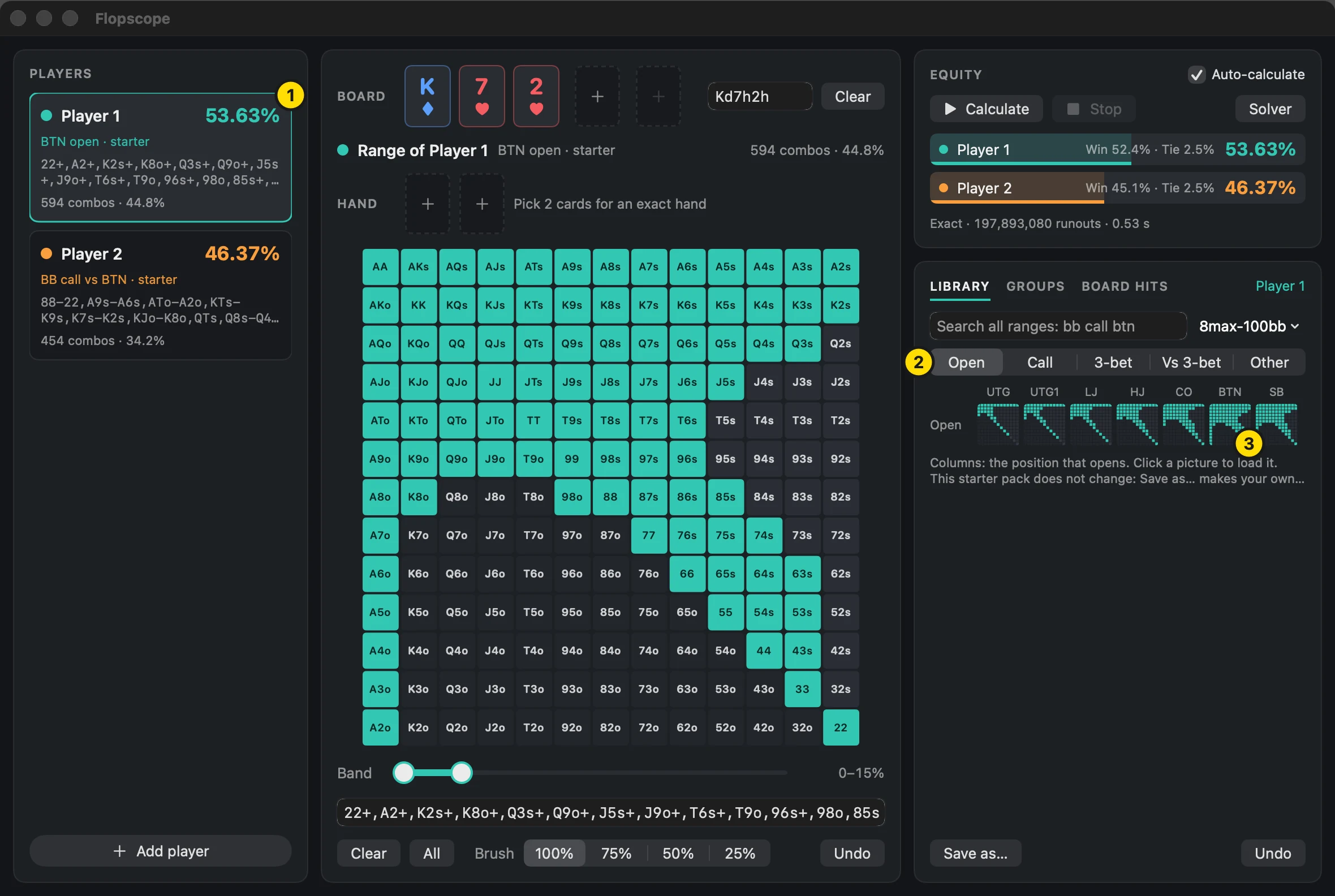
- Click Player 1 at the left.
- At the bottom right, click the Library tab, then Open.
- Click the picture in the column BTN.
The card of Player 1 now says “BTN open · starter”. The grid in the centre shows the range in teal.
2. Give Player 2 the big blind’s range
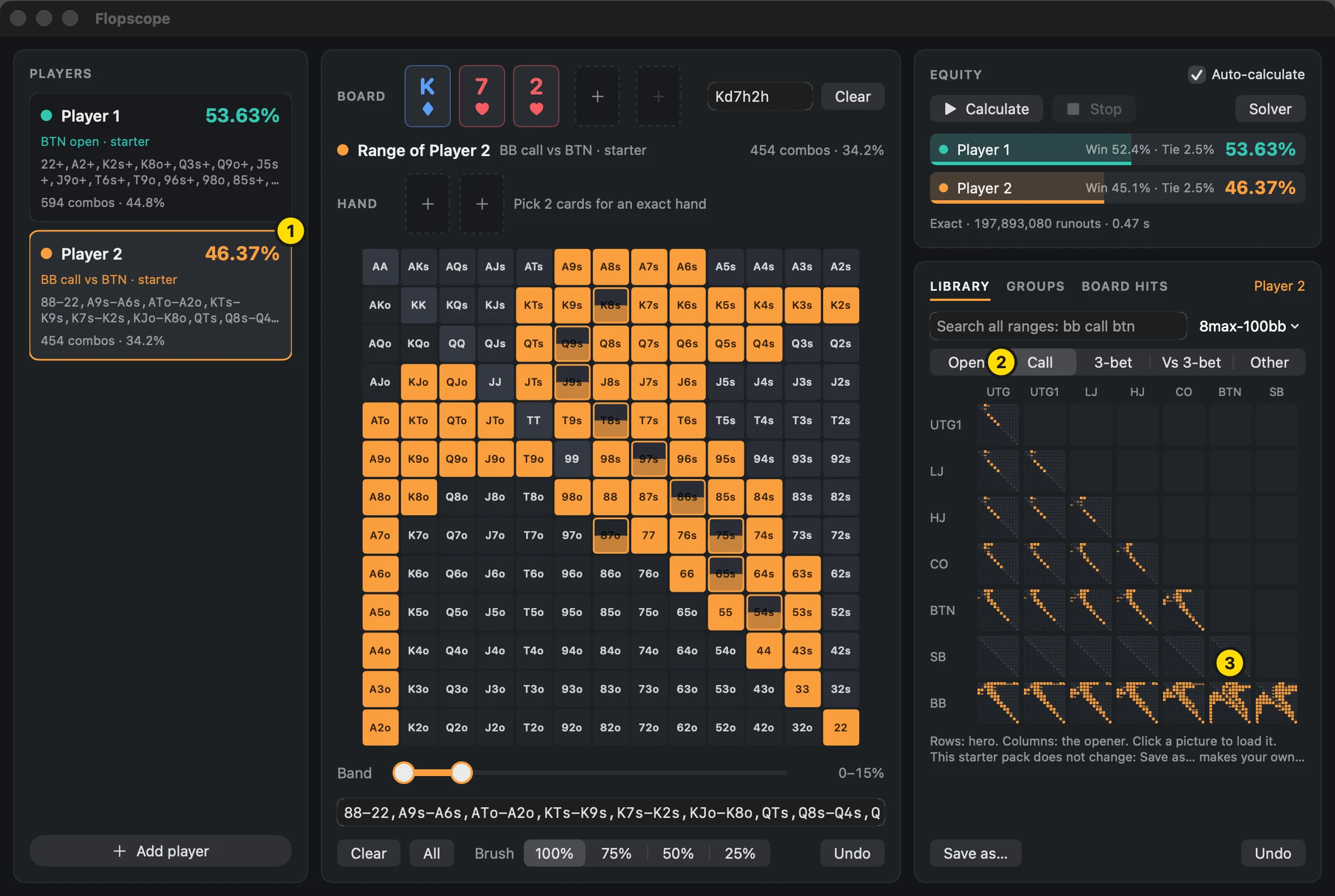
- Click Player 2.
- Click Call.
- In the row BB, click the picture in the column BTN.
In the Call matrix, a row is the player who calls and a column is the player who opened. Player 2 now has “BB call vs BTN · starter”, in orange.
3. Put the flop on the board

- Click the field to the right of the card slots.
- Type
Kd7h2hand press Return.
The three cards show in the slots. You can also click a slot and pick a card. The suits are c (clubs), d (diamonds), h (hearts) and s (spades), and T is a ten.
The panel at the bottom right now shows the Board hits tab. The next lesson uses it.
4. Read the equity
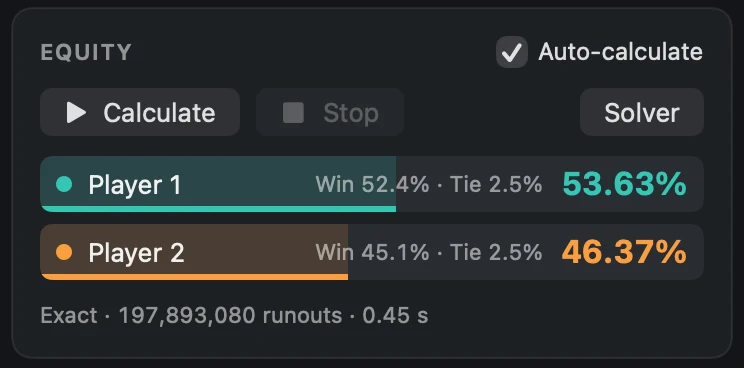
Flopscope calculates by itself a moment after each change, while Auto-calculate is on.
- Player 1, the button: 53.63%. It wins 52.4% of the time and ties 2.5%.
- Player 2, the big blind: 46.37%.
- The line under the rows says how Flopscope counted. “Exact” means it counted every turn and river for every pair of hands, so the number isn’t an estimate.
Equity is the share of the pot that a range wins if nobody bets again until the river.
5. Look at the combos of one hand
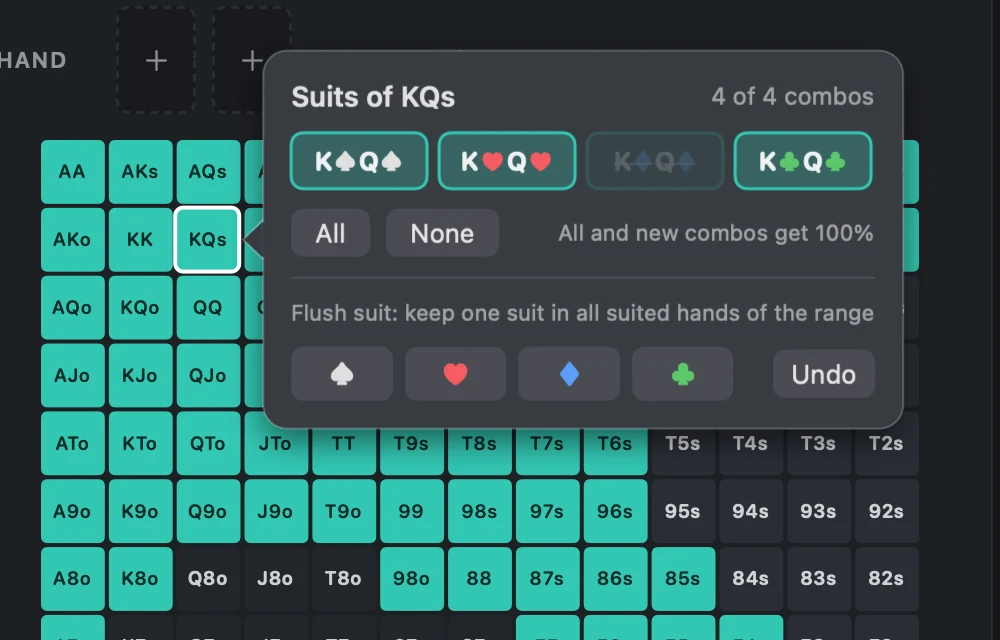
- Click Player 1.
- Right-click KQs in the grid, or Control-click it.
A popover shows the 4 combos of KQs. K♦Q♦ is struck out: the K♦ is on the board, so that combo can’t be dealt. Click a combo to turn it on or off. Click outside the popover to close it.
The main window page explains each part of the popover.
What you learned
- How to load a range from the starter pack.
- How to put cards on the board.
- How to read the equity of two ranges.
- How to see the single combos of a hand.