Contents of the guide
Your first solve
The solver computes a strategy for both players: how often each hand checks, bets, calls or folds. In this lesson you'll solve the same spot on the turn, which takes about a second, and read the strategy of one hand.
This lesson uses the spot of the first two lessons, one card later: the turn is the 4♣.
1. Set the spot in the main window
- Give Player 1 the range “BTN open” again: click Player 1, then Library, Open and the picture in the column BTN.
- Check that Player 2 has “BB call vs BTN”.
- Type
Kd7h2h4cin the board field and press Return.
2. Open the Solver window
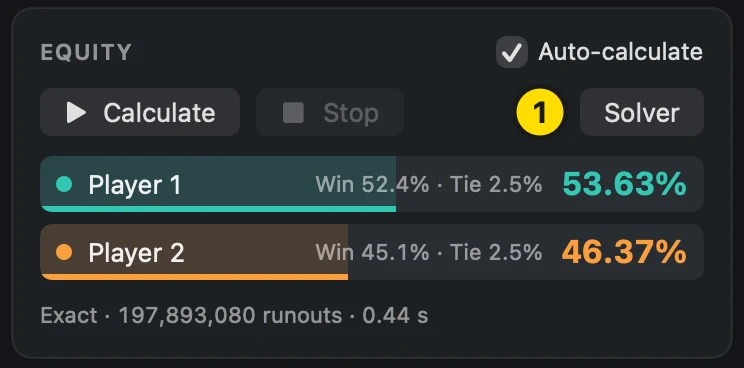
Click Solver in the Equity panel. You can also choose Solver → Open Solver in the menu bar, or press ⇧⌘S.
The Solver window reads the ranges and the board of the main window when you click Solve.
3. Set up the solve
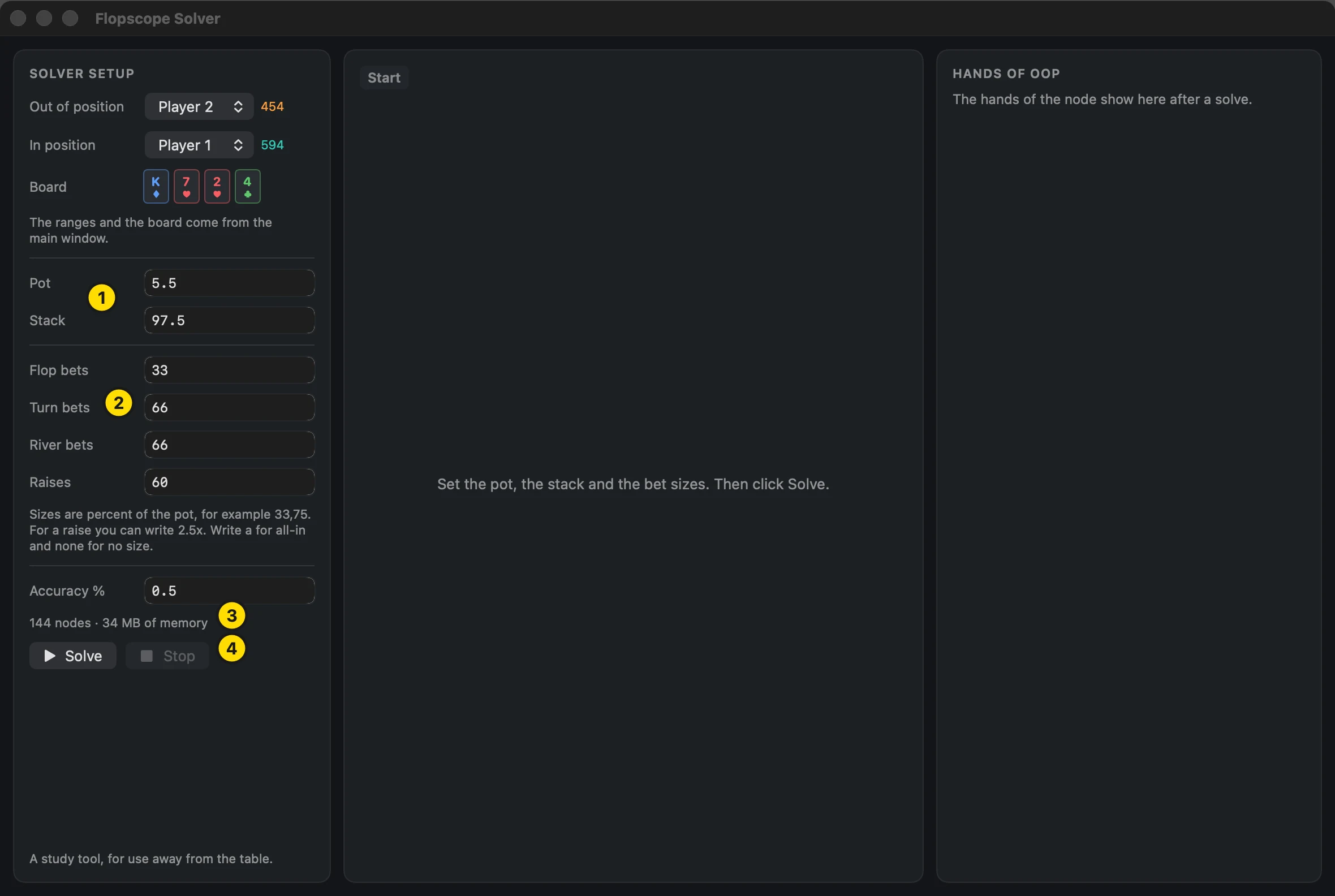
- Set Out of position to Player 2 and In position to Player 1. The big blind acts first after the flop, so it’s out of position.
- Leave Pot at 5.5 and Stack at 97.5 (marker 1). In big blinds, they fit this spot: the button raised to 2.5, the big blind called, and the small blind’s 0.5 is in the pot. Each player has 97.5 left of 100.
- Leave the bet sizes (marker 2). Each player can bet 66% of the pot on the turn and on the river, and raise 60%. The flop size doesn’t count here, because the solve starts on the turn.
- Read the line under Accuracy (marker 3). It says how large the solve is and how much memory it needs. This one is small.
- Click Solve (marker 4).
The solve stops when it reaches the accuracy, 0.5% of the pot. Here that takes less than a second. The line under the buttons then says “Done: the accuracy is reached.”
4. Read the first decision
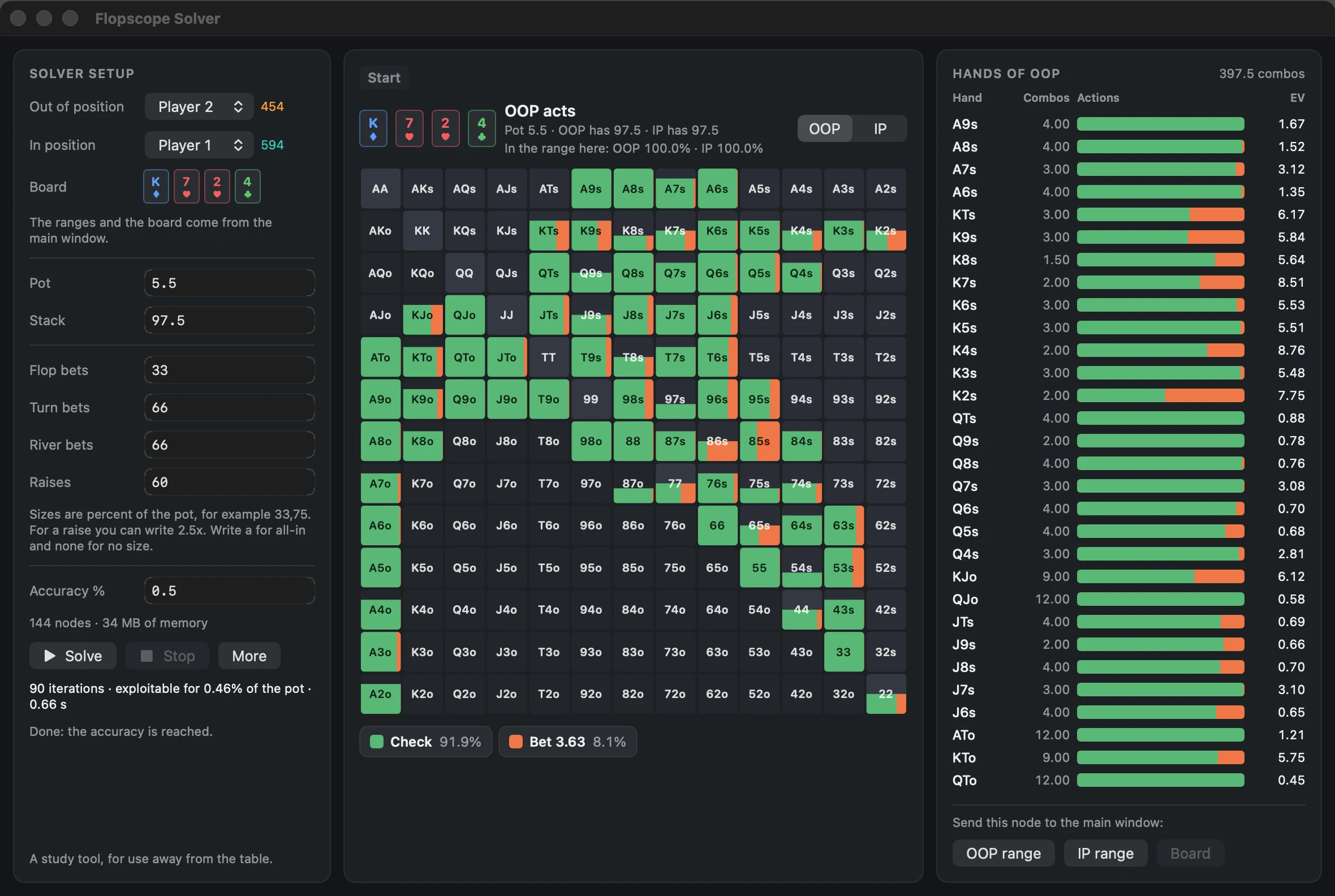
The big blind acts first, so the grid shows its hands.
- Colours: green is check, orange is bet. A cell with two colours mixes the two actions.
- Height: the filled part of a cell is the part of that hand still in the range here.
- Under the grid: the big blind checks 91.9% of its range and bets 3.63 chips (66% of the pot) 8.1%.
- At the right: each hand with its combos, its actions and its EV.
5. Follow a line
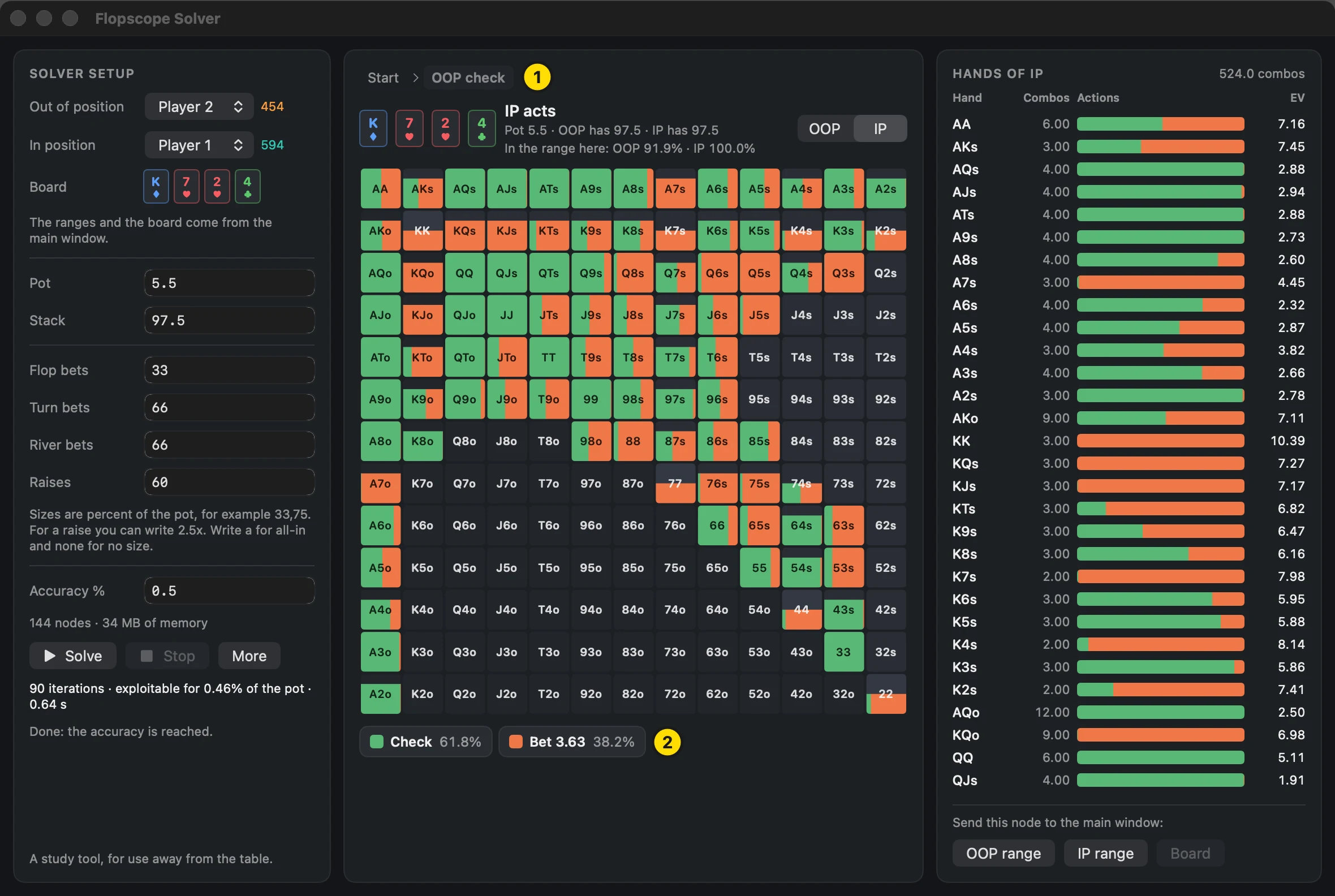
- Click Check under the grid.
Now the button acts. It checks 61.8% of its range and bets 38.2% (marker 2). The path at the top says “Start > OOP check” (marker 1). Click Start to go back.
6. Look at one hand
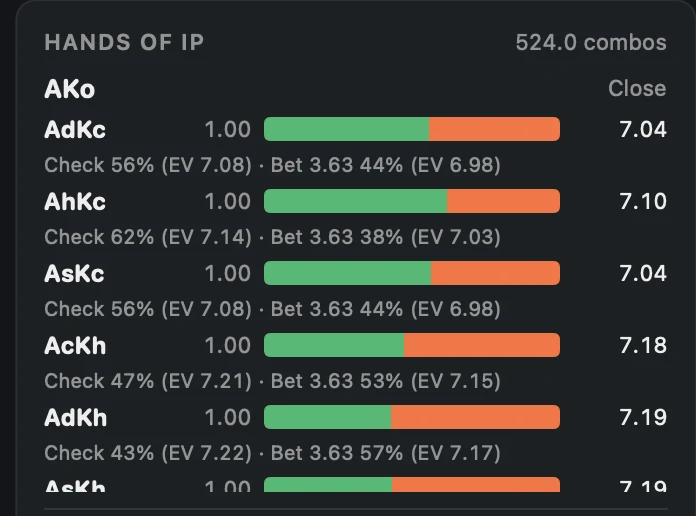
- Click AKo in the grid.
The top of the list now shows each combo of AKo: how often it checks and bets, and the EV of each action. For example, A♦K♣ checks 56% (EV 7.08) and bets 44% (EV 6.98). Click Close to hide it.
EV is in the unit of the pot and the stacks, here big blinds. It counts from the start of the solve.
What a solve gives you
A solve is the answer of one model: these two ranges, a pot of 5.5, stacks of 97.5, these bet sizes and an accuracy of 0.5% of the pot. Other sizes or ranges give another strategy.
What you learned
- How to open the Solver window and set the seats, the pot and the bet sizes.
- How to read the strategy of a range and follow a line.
- How to read the strategy and the EV of each combo of a hand.